Tags
Formbird FLEET uses three types of tags to classify and group assets: Asset Category, Body Type, and general Tags. All three are fully customisable to suit your organisation's requirements.
Tags are managed from a central list, so changes to a tag affect every place it appears across the application.
Note: Editing the name or details of an existing tag does not automatically update assets where that tag has already been saved. If a tag needs to be renamed, update the existing assets manually, or create a new tag and retire the old one.
Tag Types
| Tag type | What it represents | Notes |
|---|---|---|
| Asset Category | Groups assets by a particular quality, such as mass or size class (e.g. Light, Medium, Heavy). | Combined with the Asset Template, the category forms the Asset Type used to identify an asset's mapping group. See Mapping. |
| Body Type | Groups assets by function or physical properties (e.g. Tipper, Flatbed, Utility). | Multiple body types can be selected on a single asset. |
| Tags | General-purpose labels that can be applied to any asset for reporting or filtering purposes. | Multiple tags can be selected on a single asset. |
All three tag fields are found in the Classification panel on an asset record.
Creating a Tag
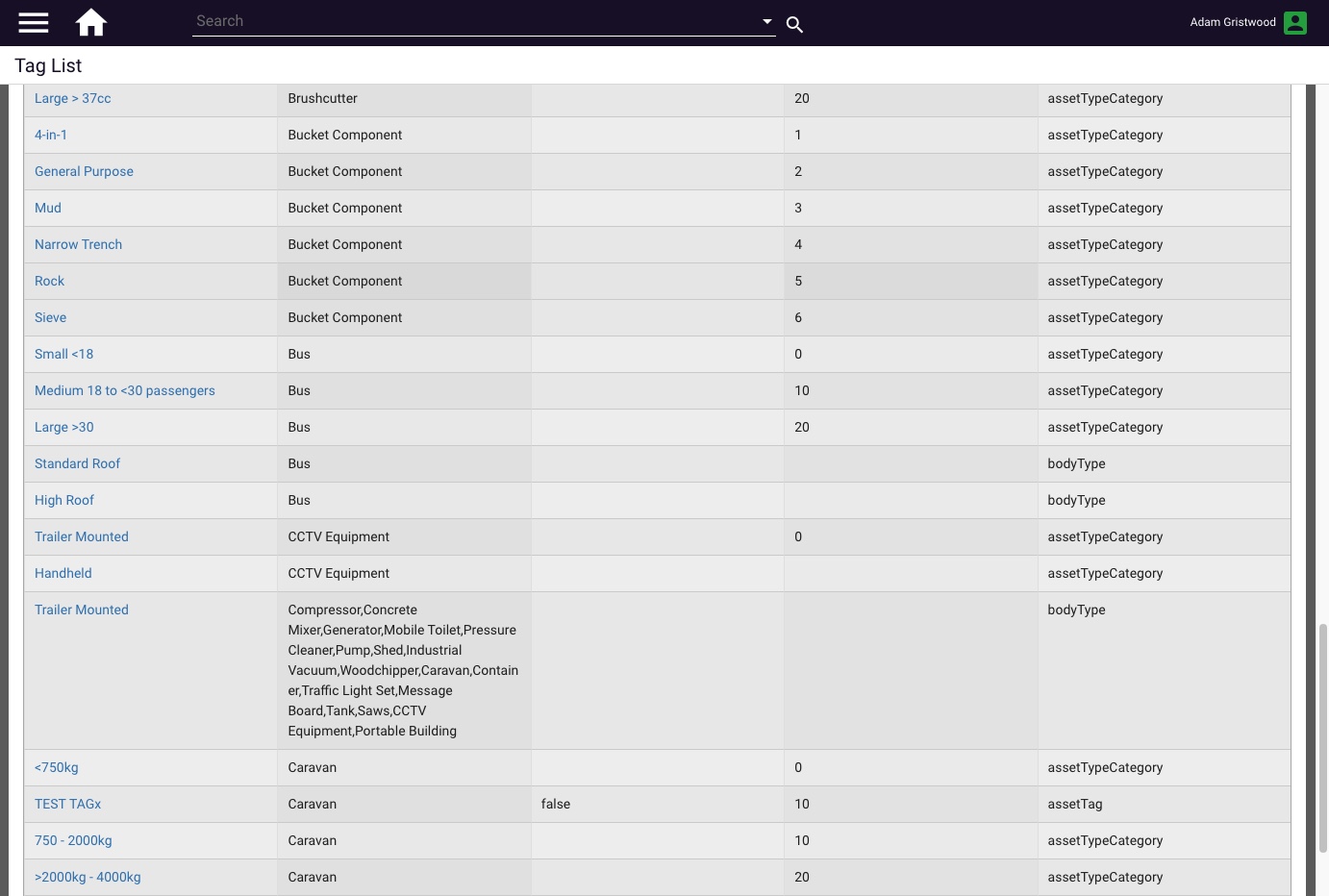
- From the System Administrator Menu, open the Configuration dropdown and select Tag List.
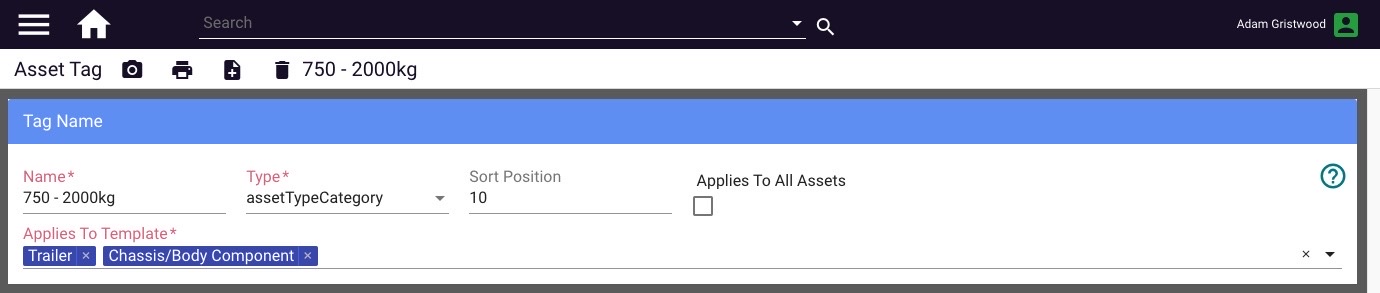
- Select New Tag.
- Enter a name for the tag.
- In the Type field, select where this tag should appear: Asset Category, Body Type, or Tags.
- Enter a number in Sort Position to control the order in which the tag appears in the dropdown. Set this relative to other tags of the same type so the list is logically ordered.
- In Applies To Template, select the asset template(s) this tag should be available on. Leave this blank if the tag should apply to all templates.
- Save the changes.
Using Tags on Assets
Once a tag is created, it appears in the relevant dropdown on any asset it applies to. Tags are selected from the Classification panel on the asset.
Multiple values can be selected in the Body Type and Tags fields. The Asset Category field typically holds a single value, as it forms part of the asset's type identifier.
Published: April 2026 · Formbird FLEET 4.2.8